



15 Sep 2026
Floor, Desk, or Trolley? Where Should Your CPU Actually Go?
Discover whether your CPU should stay on the floor, desk, or a dedicated trolley. Learn how the JBM Mart CPU Trolley can save desk space, improve organization, simplify cable management, and make your computer setup easier to maintain.
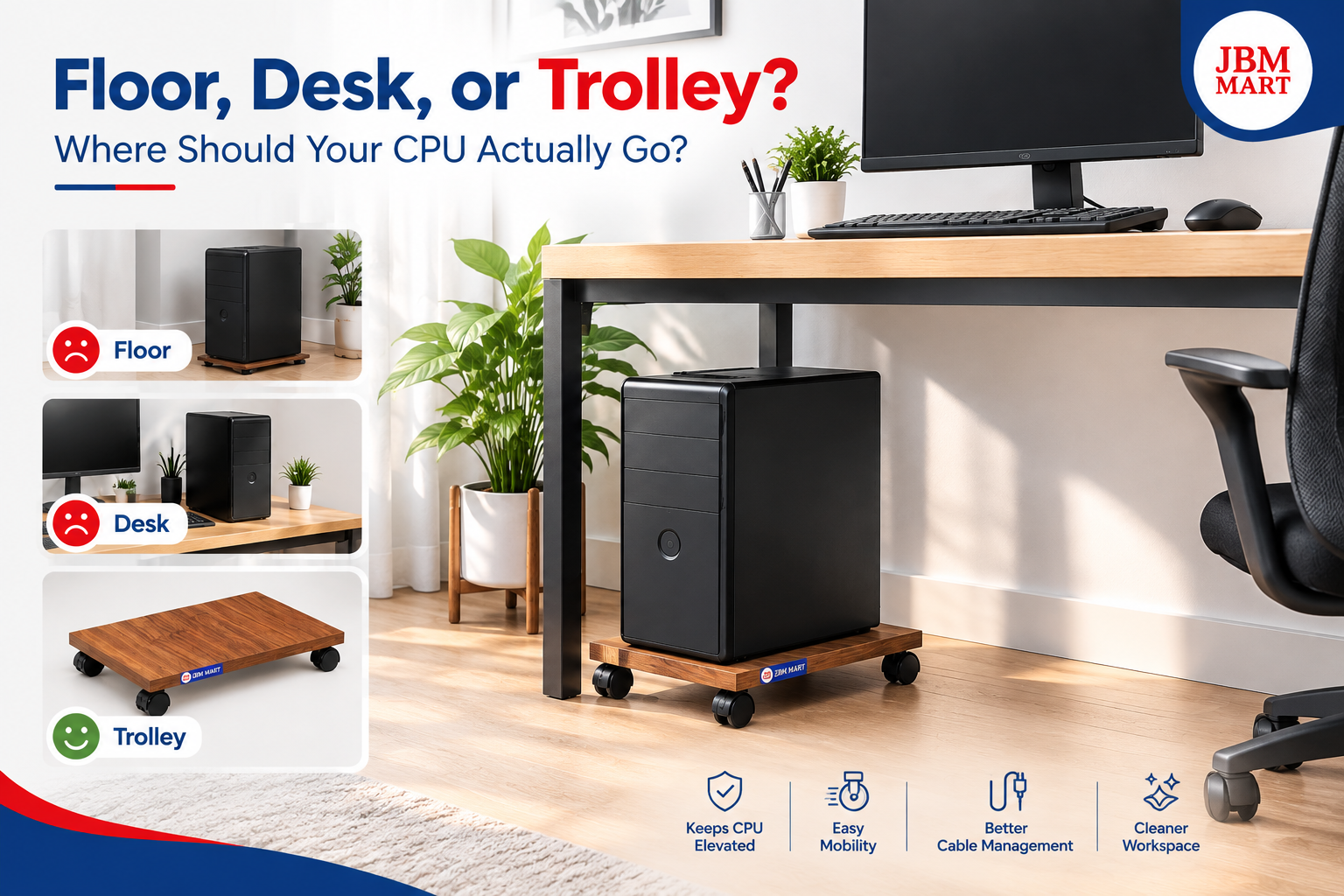
Your CPU is one of the most important parts of a desktop computer setup, but it is often the part that gets the least attention when arranging a workspace. Many people simply place the CPU on the floor, keep it beside the desk, or squeeze it onto the desktop without thinking about airflow, accessibility, dust, cables, and available space. A better option is to use a dedicated JBM Mart CPU Trolley, which provides a practical way to keep your CPU elevated, mobile, and organized while making better use of your workspace.
Why Does CPU Placement Matter?
Where you place your computer cabinet can affect the overall organization, cleanliness, and convenience of your workspace. A CPU sitting directly on the floor can collect dust more easily, while keeping a large cabinet on the desk can consume valuable working space. The JBM Mart CPU Trolley offers a middle-ground solution by keeping the CPU safely supported below or beside the desk while lifting it away from the floor. This can make the workspace look cleaner while also making the CPU easier to access whenever you need to connect cables or move your computer.
Should You Keep Your CPU on the Floor?
Keeping a CPU on the floor is probably the most common setup, especially in traditional home and office workspaces. However, the floor can expose the computer cabinet to dust, accidental kicks, moisture from cleaning, and clutter around the cables. The JBM Mart CPU Trolley is designed to provide an elevated platform for your CPU, helping you avoid placing the cabinet directly on the floor while creating a more organized computer area.
Another problem with floor placement is accessibility. When the CPU is tucked under a desk or placed in a corner, reaching the rear ports can become inconvenient. The JBM Mart CPU Trolley makes it easier to move the CPU when you need access to the back panel, cables, power connections, or other components. Instead of repeatedly lifting a heavy CPU cabinet, you can move it along with its trolley.
What About Keeping the CPU on the Desk?
Placing the CPU directly on your desk can make it easy to access, but it also takes up valuable surface area. Modern desks are already occupied by monitors, keyboards, mouse pads, speakers, notebooks, chargers, and other accessories. Adding a full-size CPU cabinet can make the workspace feel crowded. A JBM Mart CPU Trolley provides a more space-efficient alternative by allowing the CPU to stay at a convenient height without occupying the main working surface.
A clean desk can also make a noticeable difference in how comfortable your workspace feels. When the CPU is moved away from the desktop using a JBM Mart CPU Trolley, there is more room for your monitor, keyboard, documents, and everyday accessories. This is particularly useful for students, professionals, gamers, designers, and people working from home who need maximum usable desk space.
Why a CPU Trolley Can Be a Better Option
A dedicated CPU trolley is not simply a stand for keeping the computer cabinet off the floor. It can also make the CPU easier to move and reposition. The JBM Mart CPU Trolley provides a dedicated space for your CPU while allowing greater flexibility in your workstation arrangement. If you rearrange your desk, clean the area, or need to access the cables behind the cabinet, having the CPU on a trolley can make the process much easier.
Mobility is especially useful in offices where workstations may need to be reorganized. Instead of lifting a CPU manually, the JBM Mart CPU Trolley can help make moving the computer cabinet more convenient. This can save effort and reduce the need to disturb the entire desk setup whenever the CPU needs to be repositioned.
CPU Trolley vs. Floor Placement
The biggest difference between floor placement and using a JBM Mart CPU Trolley is organization. A CPU placed directly on the floor can easily become surrounded by wires, dust, bags, shoes, and other objects. With a JBM Mart CPU Trolley, the CPU gets its own designated space, helping create a more structured setup.
Another advantage is accessibility. A CPU placed on the floor may need to be lifted whenever you want to clean underneath it or access its rear connections. With the JBM Mart CPU Trolley, the cabinet can be moved more conveniently when required. This makes everyday maintenance and workspace cleaning simpler.
CPU Trolley vs. Desk Placement
Compared with keeping the CPU on the desk, a JBM Mart CPU Trolley helps you reclaim valuable workspace. Your desk should ideally provide enough room for the items you use regularly rather than being occupied by a bulky computer cabinet. Moving the CPU onto a JBM Mart CPU Trolley can create additional space for your monitor, keyboard, writing materials, speakers, or other accessories.
This can be particularly helpful in compact offices and home workstations. When desk space is limited, every extra inch matters. A JBM Mart CPU Trolley allows you to position the CPU separately while maintaining an organized connection between the computer and the rest of your setup.
Better Cable Organization
Cable management is another important consideration when deciding where your CPU should go. A CPU placed randomly on the floor can create a messy group of power, display, USB, audio, and network cables. The JBM Mart CPU Trolley gives you a defined location for the CPU, making it easier to plan where the cables should run.
Once the CPU has a fixed position, you can route cables along the desk, behind the workstation, or through a cable management system. Combining a JBM Mart CPU Trolley with proper cable management can make the entire workstation look cleaner and more professional.
Easier Cleaning and Maintenance
Dust is one of the biggest enemies of any computer setup. Floors naturally collect dust and debris, and a CPU placed directly on the floor can be exposed to more of it. Keeping the CPU elevated with a JBM Mart CPU Trolley can make the area around the cabinet easier to clean.
The mobility of a JBM Mart CPU Trolley is also useful during regular maintenance. You can move the CPU when cleaning around or underneath the workstation instead of struggling to lift a heavy cabinet. Keeping the area clean around your computer can contribute to a more pleasant and organized workspace.
Is a CPU Trolley Useful for Gaming Setups?
Gaming setups often include a large monitor, keyboard, mouse, speakers, headphones, controllers, and other accessories. Because of this, placing the CPU cabinet on the desk can quickly make the setup feel crowded. A JBM Mart CPU Trolley can help keep the CPU separate from the main gaming surface while leaving more room for gaming equipment.
For gamers who frequently rearrange their setup, the mobility of a JBM Mart CPU Trolley can also be useful. The CPU can be repositioned when cleaning or changing the arrangement of the gaming desk. Instead of treating the computer cabinet as a fixed object, a trolley gives you more flexibility.
Is a CPU Trolley Useful in Offices?
In an office environment, organization and efficient use of space are extremely important. Desks need to accommodate monitors, documents, stationery, phones, and other work equipment. A JBM Mart CPU Trolley can help keep CPU cabinets off the main desk while giving each computer a dedicated position.
For offices with multiple workstations, using a JBM Mart CPU Trolley can also create a more consistent appearance. Instead of every CPU being placed differently, dedicated CPU trolleys can help maintain a cleaner and more organized workstation layout.
What About Home Offices?
Home offices often have limited space, so furniture and accessories need to serve a practical purpose. A large CPU cabinet sitting on the floor can make a small workspace feel cluttered, while placing it on the desk reduces usable working space. The JBM Mart CPU Trolley can provide a practical solution by allowing the CPU to remain close to the desk without taking over the desktop.
For people working from home, a JBM Mart CPU Trolley can also make it easier to maintain a clean workspace. When your work area needs to be converted back into a normal room after working hours, having a mobile CPU setup can provide additional flexibility.
Choosing the Right Place for Your CPU
There is no single placement that works for every computer setup. The best location depends on your desk size, CPU dimensions, cable length, room layout, airflow requirements, and how frequently you need to move the computer. However, the JBM Mart CPU Trolley can make the decision easier because it combines dedicated CPU support with mobility and space efficiency.
Before placing your CPU on a JBM Mart CPU Trolley, make sure the trolley is suitable for the size and weight of your CPU cabinet. The CPU should sit securely and should not extend dangerously beyond the supporting surface. It is also important to leave enough surrounding space for ventilation and cable connections.
Tips for a Cleaner CPU Setup
If you want to create a more organized computer workstation, start by giving your CPU a dedicated position. Using a JBM Mart CPU Trolley is one way to separate the CPU from the main desk surface while keeping it nearby. Next, organize the power and data cables so they do not form a tangled mess around the workstation.
Keep the area around your JBM Mart CPU Trolley free from unnecessary objects and clean it regularly. Avoid placing liquids or other items where they could accidentally spill onto the computer. Also make sure that air vents are not blocked and that the CPU has adequate space around it.
Final Verdict: Floor, Desk, or Trolley?
So, where should your CPU actually go? The floor may be convenient, but it can expose the cabinet to dust and clutter. The desk keeps the CPU accessible but takes away valuable workspace. A JBM Mart CPU Trolley offers a practical alternative by giving the CPU its own dedicated platform while helping save desk space and making the cabinet easier to move.
For home offices, professional workstations, gaming setups, classrooms, and general desktop computer arrangements, a JBM Mart CPU Trolley can be a simple upgrade that improves organization without requiring a completely new desk. Instead of treating your CPU as something that has to occupy either the floor or your desktop, give it a dedicated place that works with your workspace.
A well-organized computer setup is not only about having a good monitor, keyboard, or desk. Small accessories can make a big difference in everyday convenience. The JBM Mart CPU Trolley is one such solution, helping you create a cleaner, more flexible, and better-organized workstation while keeping your CPU within easy reach.